I have a confession to make.
A few months ago, I walked into my kitchen for a glass of water, picked up my phone, and started scrolling. One notification led to another, until I found myself looking through the life of someone I hadn’t spoken to since high school.
Then I realized I’d forgotten why I’d walked into the kitchen.
Nothing important had happened. I had simply traded a few minutes of my attention for something I barely cared about.
That raises an important question: Are we using technology to improve our lives, or are we letting it decide how we spend our time?
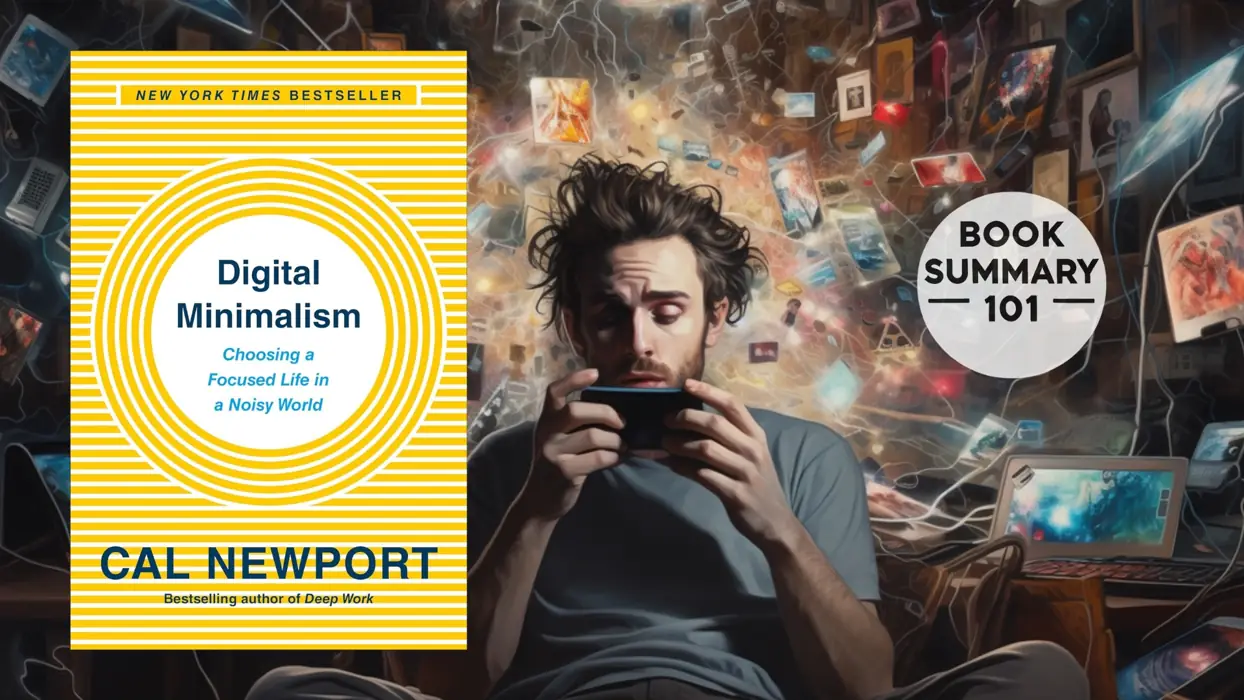
In Digital Minimalism: Choosing a Focused Life in a Noisy World, Cal Newport argues that the answer isn’t to abandon technology. It’s to become more intentional about the role it plays in our lives.
This summary explores Newport’s main ideas, explains his 30-day digital declutter, and offers practical ways to reduce mindless screen time without giving up the digital tools you genuinely need.
- Digital Minimalism at a Glance
- Why Convenience Can Quietly Take Over Your Life
- The 5 Core Ideas of Digital Minimalism
- 1. Choose Technology That Supports Your Values
- 2. Use a 30-Day Digital Declutter
- 3. Protect Solitude and Give Your Mind Room to Think
- 4. Prioritize Conversation Over Constant Digital Contact
- 5. Build a Richer Life Outside the Screen
- How to Apply Digital Minimalism in Everyday Life
- 1. Identify Your Biggest Digital Distraction
- 2. Set a Clear Rule
- 3. Make Distractions Less Convenient
- 4. Schedule Something Meaningful
- 5. Review Your Results Each Week
- A Practical Digital Minimalism Checklist
- Your Five-Question Digital Habit Audit
- What Digital Minimalism Gets Right – and Where It Has Limits
- What the Book Gets Right
- Where the Approach Has Limits
- Is Digital Minimalism Worth Reading?
- The Big Idea: Make Room for What Matters
- Frequently Asked Questions
- What is the main idea of Digital Minimalism?
- What is the 30-day digital declutter?
- Does digital minimalism mean giving up social media?
- What are the three principles of digital minimalism?
- What is the difference between digital minimalism and a digital detox?
- Can I practice digital minimalism if I need my phone for work?
- Who should read Digital Minimalism?
- Is Digital Minimalism still relevant today?
- One Question to Take Away
Digital Minimalism at a Glance
- Book: Digital Minimalism: Choosing a Focused Life in a Noisy World
- Author: Cal Newport
- Core idea: Use technology intentionally instead of allowing it to control your attention.
- Key takeaway: Reducing digital distractions is most effective when you replace them with activities that make your life more satisfying.
- Best for: Readers who feel distracted by their phones, struggle to disconnect from social media, or want to spend their free time more meaningfully.
Why Convenience Can Quietly Take Over Your Life
Technology makes everyday life easier. We can communicate instantly, find information in seconds, and manage countless tasks from a single device.
The problem begins when convenient tools become automatic habits.
You open your phone to reply to a message, follow a notification into a social feed, and spend ten minutes browsing without completing anything you intended to do.
The issue isn’t necessarily the app itself. It’s the time and attention you give it without making a deliberate choice.
Cal Newport argues that this pattern has a hidden cost. Even when you aren’t actively using your phone, the possibility of checking it can interrupt your concentration. Constant digital stimulation can also leave less room for reflection, meaningful conversations, and activities that require sustained attention.
Newport isn’t suggesting that every digital tool is harmful. He asks readers to consider whether each tool genuinely supports their values.
For example, social media might help you maintain important relationships. But if you mostly use it out of habit, its benefits may not justify the time it consumes.
The goal isn’t to reject technology. It’s to stop treating every available digital activity as worthy of your attention.
The 5 Core Ideas of Digital Minimalism
1. Choose Technology That Supports Your Values
Many people decide whether to use an app by asking whether it offers any benefit.
If it helps them stay informed, entertained, or connected, they keep it. The problem is that almost every app can provide some benefit, even when its overall effect on their lives is negative.
Newport proposes a more demanding standard: technology should support something you genuinely value.
Consider a few examples:
- If you value close relationships, use digital tools to maintain meaningful contact rather than endlessly browsing other people’s updates.
- If you value learning, use your phone to access books, courses, or useful information instead of opening apps whenever you feel bored.
- If you value physical health, protect time for walking, exercise, or outdoor activities rather than spending every free moment in front of a screen.
This approach changes the question from “Is this app useful?” to “Is this app one of the best ways to support what matters to me?”
That distinction matters because usefulness alone isn’t enough. An app can provide a small benefit while quietly consuming hours you could spend on something more important.
Practical lesson: Identify your main values before deciding which technologies deserve a place in your routine.
2. Use a 30-Day Digital Declutter
One of the book’s most practical ideas is the digital declutter.
Instead of trying to control every digital habit at once, Newport recommends taking a temporary break from optional technologies and then deciding which ones genuinely deserve to return.
The process has three main stages.
Step 1: Define Your Optional Technologies
Identify the apps, websites, and digital activities you use regularly but don’t absolutely need for work, essential responsibilities, or personal obligations.
These might include social media feeds, mobile games, entertainment websites, or nonessential notifications.
The aim isn’t to remove everything digital. Tools you need for your job, health, family responsibilities, or important communication can remain available.
Set clear rules for what you will stop using during the 30-day period.
Step 2: Spend 30 Days Away From Them
During this period, resist the temptation to replace one digital distraction with another.
If you stop scrolling through social media but spend the same amount of time watching unrelated videos, you may have changed the activity without addressing the underlying habit.
Instead, use the time to explore activities that offer genuine satisfaction.
You could read, cook, exercise, learn a skill, spend time outdoors, work on a personal project, or arrange an in-person meeting with a friend.
You may also discover that some moments of boredom are worth experiencing rather than immediately escaping.
Step 3: Reintroduce Technology Intentionally
After the 30 days, evaluate each technology before allowing it back into your routine.
Ask yourself:
- Does this tool support something I genuinely value?
- Does it provide meaningful benefits?
- Can I use it in a more controlled way?
- Is there a better alternative?
If you decide an app deserves a place in your life, establish clear rules for using it.
For example, you might check a social network on your computer once a day instead of opening it repeatedly on your phone.
You could also disable nonessential notifications or remove an app from your home screen.
The objective isn’t to return to your previous routine with slightly better intentions. It’s to build a more deliberate relationship with technology.
Practical lesson: A temporary break gives you room to evaluate your habits instead of assuming they must remain part of your life.
3. Protect Solitude and Give Your Mind Room to Think
Solitude doesn’t necessarily mean being physically alone. It means having time when you aren’t constantly receiving information, reacting to messages, or consuming other people’s thoughts.
You can experience solitude while walking, sitting quietly, or doing a familiar task without reaching for your phone.
Newport argues that these moments matter because they allow you to process experiences, reflect on problems, and listen to your own thoughts.
Constant stimulation can make silence feel uncomfortable. Whenever you wait in line, travel, or have a spare minute, your phone offers an immediate escape from boredom.
Over time, you may lose opportunities to practice being comfortable with your own thoughts.
You don’t need to avoid technology all day to create more solitude. Start by protecting a few ordinary moments.
Try walking without listening to something, leaving your phone in your bag while waiting, or spending ten minutes thinking through a problem without opening another app.
Practical lesson: Not every empty moment needs to be filled. Sometimes, the space between activities is valuable in itself.
4. Prioritize Conversation Over Constant Digital Contact
Digital communication makes it easy to maintain contact with many people. A quick message, comment, or reaction can help us stay connected across distance.
However, frequent digital contact isn’t always the same as meaningful connection.
A long stream of short messages may keep a conversation going without providing the depth of a phone call or an in-person meeting.
Newport encourages readers to consider the quality of their social interactions rather than measuring connection by the number of messages or updates they exchange.
This doesn’t mean online communication is unimportant. Digital tools can be essential for people who live far apart, have limited mobility, or cannot meet in person regularly.
The distinction is between using technology to strengthen relationships and allowing low-effort interactions to replace the forms of connection you value most.
Instead of simply checking a friend’s updates, you might call them, arrange a visit, or have a longer conversation without distractions.
You can also protect the conversations you already have by putting your phone away during meals and face-to-face meetings.
Practical lesson: Use digital communication to support meaningful relationships, not just to maintain a constant sense of contact.
5. Build a Richer Life Outside the Screen
Removing digital distractions is only half the work. You also need something worthwhile to do with the time and attention you recover.
Newport emphasizes high-quality leisure: activities that require effort, develop skills, provide satisfaction, or create meaningful experiences.
Examples include learning an instrument, gardening, repairing something, playing a sport, cooking, reading, or working on a creative project.
These activities often demand more effort than scrolling through a feed. Their rewards, however, can last longer than the brief stimulation offered by an endless stream of digital content.
This helps explain why simply limiting screen time can be difficult. If your evenings have no satisfying structure, your phone will remain an easy option whenever you feel bored or tired.
You don’t need an elaborate new routine. Start with one activity you enjoy or have wanted to try.
Set aside time for it before your usual scrolling period begins. If possible, make the activity easy to start by preparing what you need in advance.
Practical lesson: Don’t focus only on what you want to stop doing. Decide what you want your time to be used for instead.
How to Apply Digital Minimalism in Everyday Life
You don’t have to wait until you can complete a full 30-day declutter to make changes. The following steps can help you begin immediately.
1. Identify Your Biggest Digital Distraction
Look at your typical day and identify the digital activity that consumes time without providing much value.
It might be checking notifications, repeatedly opening a social media app, or watching videos long after you intended to stop.
Choose one habit to address first rather than trying to change everything simultaneously.
2. Set a Clear Rule
Vague intentions are difficult to follow. Specific rules make decisions easier.
For example:
- Check social media only during a planned period.
- Keep your phone away from the dining table.
- Disable notifications that don’t require immediate attention.
- Avoid opening entertainment apps during focused work.
- Charge your phone outside the bedroom if nighttime use is a problem.
Choose rules that address your actual habits and responsibilities.
3. Make Distractions Less Convenient
Small changes to your environment can reduce automatic phone use.
Remove distracting apps from your home screen, log out of websites you frequently browse, or leave your phone in another room while working.
You can also use app limits or focus settings if they help you maintain boundaries.
The aim isn’t to rely entirely on willpower. It’s to make intentional behavior easier than automatic behavior.
4. Schedule Something Meaningful
Choose one activity to replace the time you previously spent scrolling.
It could be a walk after dinner, a regular reading session, a hobby, or a weekly meeting with a friend.
Put it on your calendar if necessary. Treating the activity as a real commitment makes it less likely to disappear when your phone becomes tempting.
5. Review Your Results Each Week
At the end of the week, ask yourself three questions:
- Which digital habits consumed time without offering much value?
- Which boundaries were easy or difficult to maintain?
- What did I do with the time I recovered?
Keep the rules that help, adjust the ones that don’t, and avoid turning digital minimalism into another source of unnecessary pressure.
Progress means using technology more deliberately, not achieving a perfect record of screen-free days.
A Practical Digital Minimalism Checklist
Use this checklist to turn the book’s ideas into everyday habits.
| Digital habit | A practical boundary |
|---|---|
| Social media | Check at planned times instead of opening it automatically. |
| Notifications | Keep alerts for important people and essential tasks. |
| Phone use during meals | Put your phone away while eating or talking with others. |
| Boredom | Allow some quiet moments without immediately checking a screen. |
| Leisure time | Schedule an activity that doesn’t depend on digital entertainment. |
| Before bedtime | Establish a phone-free period if nighttime use disrupts your routine. |
| Weekly review | Identify one habit to keep, change, or remove. |
Your Five-Question Digital Habit Audit
Before making a major change, consider these questions:
- Which app do I open most often without a clear reason?
- Which digital activity gives me the least value for the time it consumes?
- Which technology genuinely helps me live according to my values?
- What meaningful activity would I like to do more often?
- What simple rule could help me protect time for that activity?
Your answers can help you distinguish between technology you want to keep and habits you have simply never questioned.
What Digital Minimalism Gets Right – and Where It Has Limits
A useful book summary should explain not only what an author recommends, but also where the advice works best and where readers may need to adapt it.
What the Book Gets Right
It focuses on intention rather than total abstinence. Newport doesn’t argue that technology must disappear from your life. He encourages you to evaluate whether each tool deserves your attention.
It offers a structured starting point. The 30-day digital declutter gives readers a defined process for stepping back from optional technologies and reconsidering their habits.
It recognizes the importance of meaningful alternatives. Simply removing an app doesn’t automatically create a satisfying life. Replacing low-value screen time with worthwhile activities addresses the larger problem.
It connects attention with personal priorities. The book encourages readers to think about relationships, leisure, solitude, and the way they want to spend their time rather than focusing exclusively on screen-time statistics.
Where the Approach Has Limits
Not everyone has the same freedom to disconnect. Some people depend on messaging apps, digital platforms, or constant availability for work, caregiving, education, or accessibility. Their boundaries may need to look different.
A 30-day reset isn’t a complete solution. Returning to old environments and routines can bring old habits back. Lasting change depends on the boundaries and alternatives you maintain afterward.
Technology isn’t the only source of distraction. Stress, loneliness, demanding work, and a lack of satisfying leisure can also influence how people use their phones. Changing app settings alone may not address those underlying factors.
The best approach depends on the person. One reader may benefit from removing social media entirely, while another may use it intentionally to maintain important relationships or participate in a community.
These limitations don’t invalidate Newport’s main argument. They highlight why digital minimalism is best treated as a framework for making deliberate choices, not a rigid set of rules everyone must follow.
Is Digital Minimalism Worth Reading?
Digital Minimalism is worth reading if you feel your phone is taking more of your attention than you want and you need a structured way to reconsider your habits.
Its greatest strength is that it goes beyond screen-time limits. Cal Newport encourages readers to rethink how they use technology, spend their free time, and make room for more meaningful activities.
However, the book may be less suitable if you’re looking only for quick smartphone tips or if work and caregiving leave you with little control over your digital routines. In those situations, its principles may need adapting to your circumstances.
This summary covers the book’s central ideas and practical lessons, while the full book provides Newport’s extended arguments and examples.
For related perspectives, explore our Quiet summary on solitude and stimulation, or our Hell Yeah or No summary on deciding what deserves your time. You can also read Cal Newport’s introduction to Digital Minimalism.
The Big Idea: Make Room for What Matters
The biggest lesson from Digital Minimalism is that technology should support your priorities, not quietly replace them.
You don’t have to abandon your phone or give up the tools you enjoy. You need to be more intentional about what deserves your attention and what you want to make room for instead.
Digital minimalism isn’t about using technology less for the sake of it. It’s about making more room for the things that make your life meaningful.
Frequently Asked Questions
What is the main idea of Digital Minimalism?
The main idea is to use digital technology selectively and intentionally. Instead of adopting every useful app, choose the tools that genuinely support your values and remove unnecessary digital distractions.
What is the 30-day digital declutter?
It’s a process in which you temporarily stop using optional digital technologies, explore more satisfying activities, and then reintroduce only the tools that provide meaningful value.
Does digital minimalism mean giving up social media?
No. It means deciding whether social media genuinely benefits you and setting boundaries around its use. You can keep platforms that support important relationships or other meaningful goals.
What are the three principles of digital minimalism?
Newport presents three principles: clutter is costly, optimization is important, and intentionality is satisfying. Together, they encourage readers to reduce unnecessary digital activities, use chosen technologies well, and make deliberate decisions about their attention.
What is the difference between digital minimalism and a digital detox?
A digital detox is generally a temporary break from digital devices or services. Digital minimalism is a broader philosophy for deciding which technologies deserve a place in your life and how to use them intentionally over time.
Can I practice digital minimalism if I need my phone for work?
Yes. The approach focuses on optional technologies and unnecessary habits, not eliminating essential tools. You can keep work-related apps while setting boundaries around personal browsing, notifications, and leisure-time use.
Who should read Digital Minimalism?
The book is especially useful for people who feel distracted by their phones, spend more time online than intended, or want to create more space for meaningful relationships, hobbies, and focused work.
Is Digital Minimalism still relevant today?
Yes. Its central ideas remain useful as digital services compete for attention. The specific tools may change, but the questions of intentional use, meaningful leisure, and protecting attention remain relevant.
One Question to Take Away
If you reclaimed 30 minutes a day from mindless scrolling, what would you want to do with that time instead?
Choose one activity and make room for it this week. A small, deliberate change can be a more useful starting point than trying to overhaul every digital habit at once.